Super Simple Steps: Generative AI (Part 1)
Disclaimer: This series documents patterns and code from building Thrifty Trip, my personal side project. All code examples, architectural decisions, and opinions are my own and are not related to my employer. Code is provided for educational purposes under the Apache 2.0 License.
Generative AI seems mystifying until you realize what it actually is: a software primitive, no different from a database call or a network request. In this series, I’ll show you exactly how we built the AI features in Thrifty Trip (my inventory management app for resellers) using simple, repeatable patterns anyone can copy.
We start with the foundation: The Text Generation Primitive.
The Concept
Most AI features follow this pattern. You send a prompt (instructions plus data) to a model, and it returns a response.
Figure 1: The AI request cycle is stateless, just like HTTP.
The Setup
We use the Google GenAI SDK, which is lightweight and runs smoothly in Node.js or Deno (what we use for Supabase Edge Functions). You need one environment variable: GEMINI_API_KEY.
A Real Example
In Thrifty Trip, we constantly deal with messy user input like this listing title: “Vtg 90s Nike Air Jordan Windbreaker XL Red/Blk”.
We need to extract the Brand, Category, and Size cleanly.
The old approach would be Regular Expressions (Regex)—brittle patterns that break the moment the format shifts. The new approach is a Prompt.
The Prompt:
“Extract the brand, category, and size from this title: ‘Vtg 90s Nike Air Jordan Windbreaker XL Red/Blk’. Return only the raw values.”
The Code: Here’s a complete, copy-pasteable TypeScript implementation:
/*
 * Copyright 2025 Thrifty Trip LLC
 * SPDX-License-Identifier: Apache-2.0
 */

import { GoogleGenAI } from "@google/genai";

// Initialize the client
const apiKey = process.env.GEMINI_API_KEY || "";
const ai = new GoogleGenAI({ apiKey });

async function extractItemDetails(itemTitle: string) {
  const model = "gemini-2.0-flash";

  // Construct the prompt
  const prompt = `
    You are an expert reseller helper.
    Analyze this product title: "${itemTitle}"

    Extract the following details:
    - Brand
    - Category
    - Size

    Format the output as: Brand | Category | Size
  `;

  try {
    // Call the API
    const response = await ai.generateContent({
      model: model,
      contents: [{ role: "user", parts: [{ text: prompt }] }],
    });

    const output = response.response.candidates?.[0]?.content?.parts?.[0]?.text;
    console.log(`Input: ${itemTitle}`);
    console.log(`Output: ${output?.trim()}`);

    return output;
  } catch (error) {
    console.error("AI Error:", error);
  }
}

// Example Usage
extractItemDetails("Travis Scott AF1s Sz 11.5 Brand New");
Why This Works
Before LLMs, you had to write logic for every variation:
- What if “Vintage” is spelled “Vtg”?
- What if the size comes first?
- What if the brand is two words?
The model understands semantic meaning, not just patterns. It knows “Sz” implies a size and “Travis Scott AF1s” are a product of Nike, regardless of position in the string. You write one prompt; it handles the edge cases.
Production Architecture
Here’s how this pattern fits into a real app:
Figure 2: Production architecture. Keep your API keys on the server, never in the client.
Results in Production
In Thrifty Trip, this pattern powers:
- Brand extraction from messy titles (90%+ accuracy)
- Category suggestions based on item descriptions
- Size extraction from user-provided notes
No regex. No model training. Just prompts.
Seeing It In Action
Here’s what this looks like in the actual Thrifty Trip app:
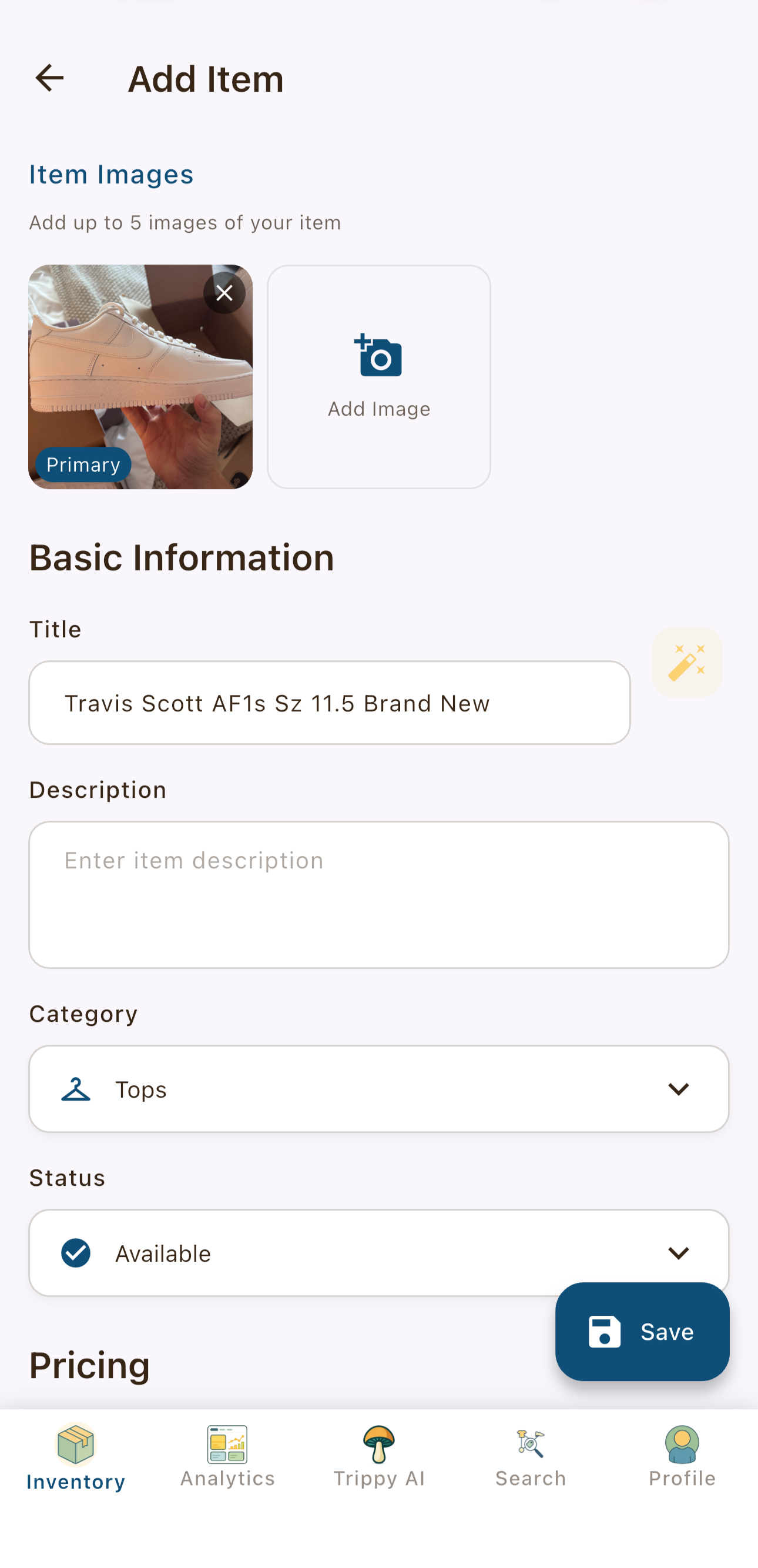
Figure 3: User enters the item title and basic details.
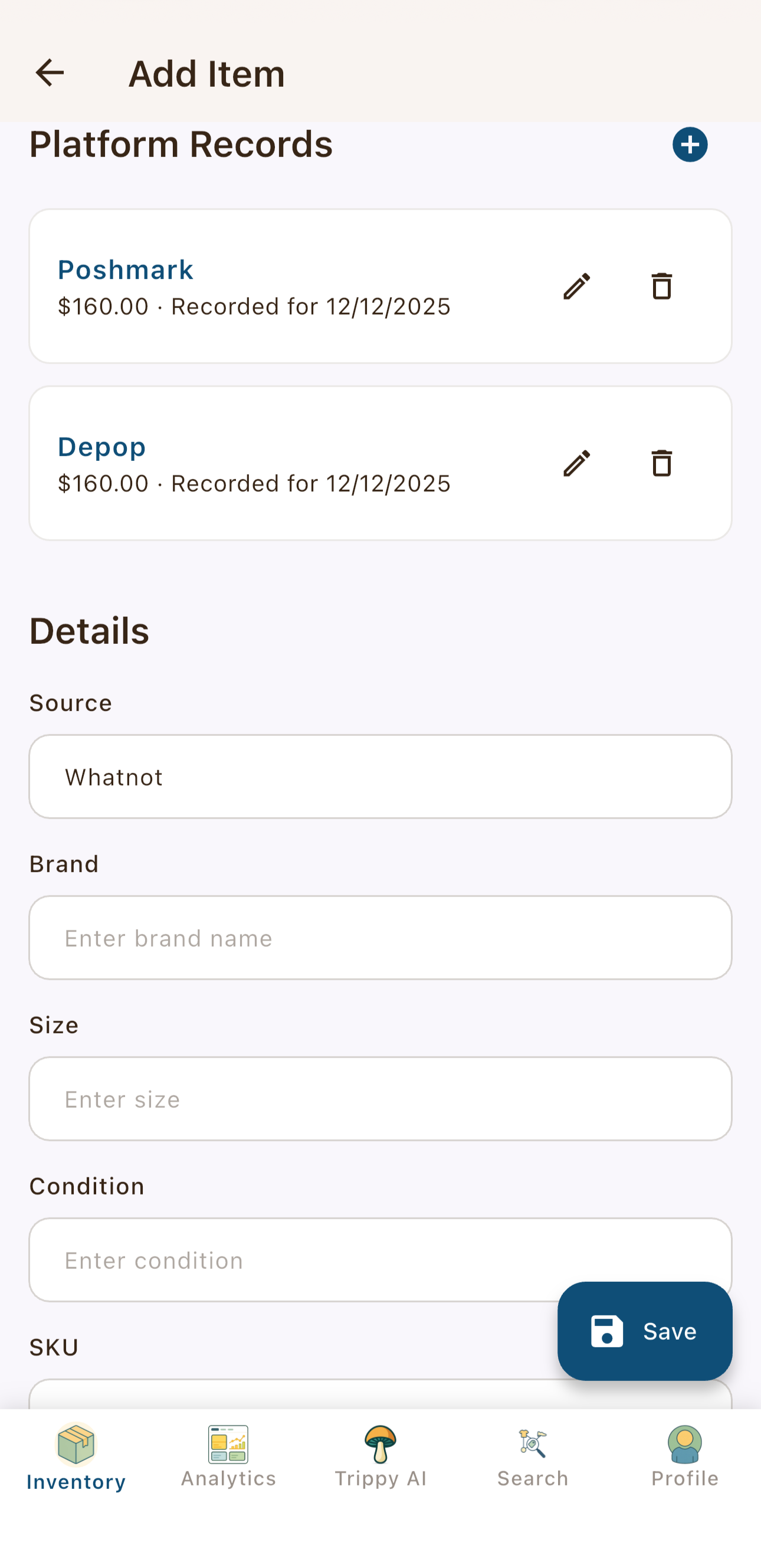
Figure 4: Notice the Brand, Category, and Size fields are empty.
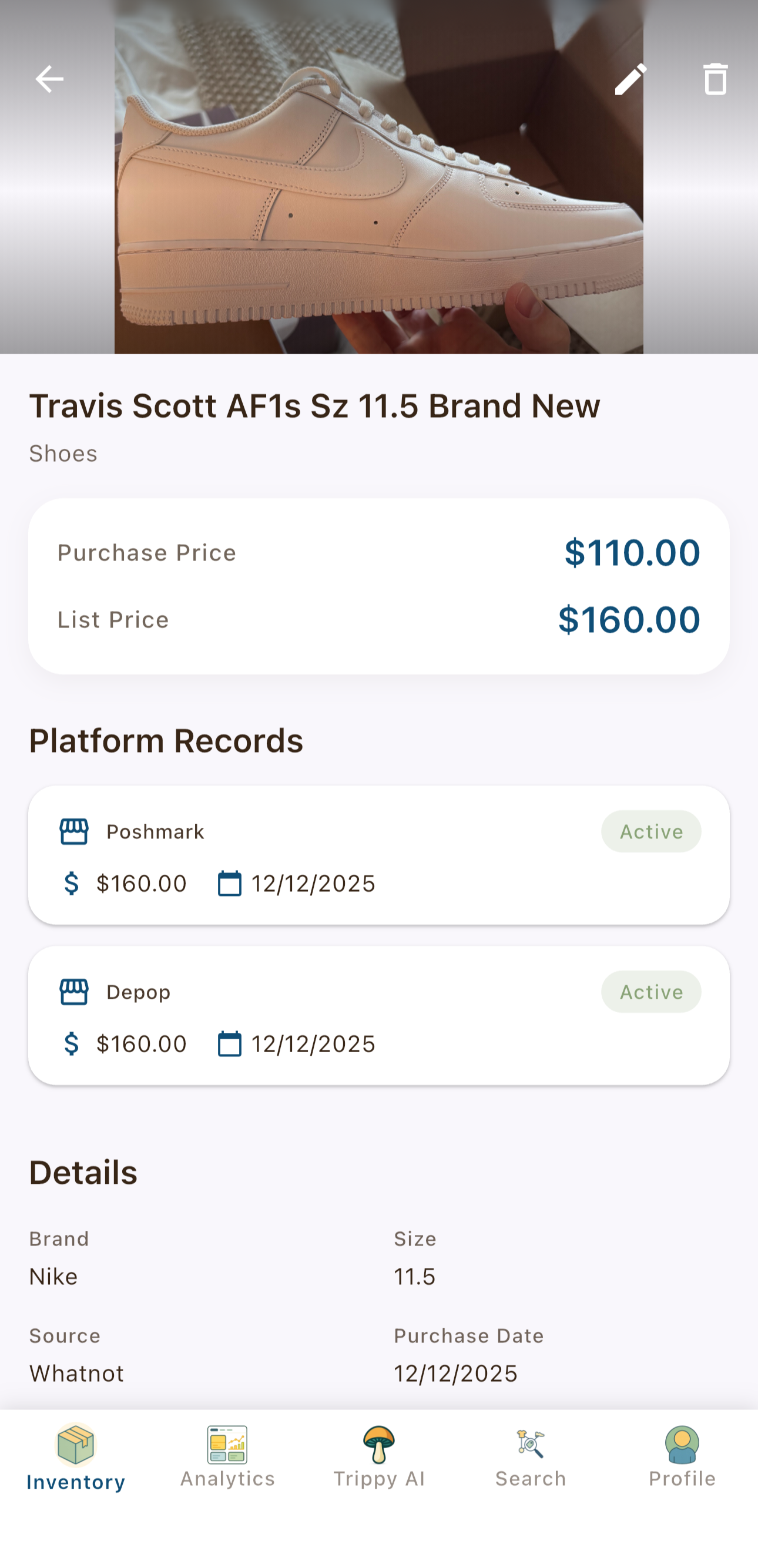
Figure 5: After saving, our API call to Gemini has automatically populated all the metadata fields from the item title.
The entire extraction happens in milliseconds, and users never see the processing - they just get smart defaults that save them time.
Key Takeaways
- AI is just an API call. Treat it like any other external service.
- Prompt engineering matters. Small wording changes dramatically improve results.
- Keep it serverless. Edge functions are ideal for AI calls: low latency, secure keys.
- Start simple. The “text in, text out” primitive solves 80% of use cases.
What’s Next
In the next post, “Super Simple Steps: Structured Output,” I’ll show you how to force the AI to return valid JSON every time, ready to save directly to your database.
Series Roadmap
- Generative AI (this post) — The basic primitive
- Structured Output — Getting JSON instead of text
- Multimodal Input — Processing images with AI
- Embeddings & Semantic Search — Finding similar items
- Grounding & Search — Connecting AI to real-time data
- The Batch API — Processing thousands of items efficiently
- Building an AI Agent — Giving AI tools to solve problems
- Evaluating Success — Testing and measuring quality
This series documents real patterns from building Thrifty Trip, a production inventory management app for fashion resellers. Code samples are available under the Apache 2.0 License.
This post is also available on Medium.